Windmill Technical Guidelines
Folder structure
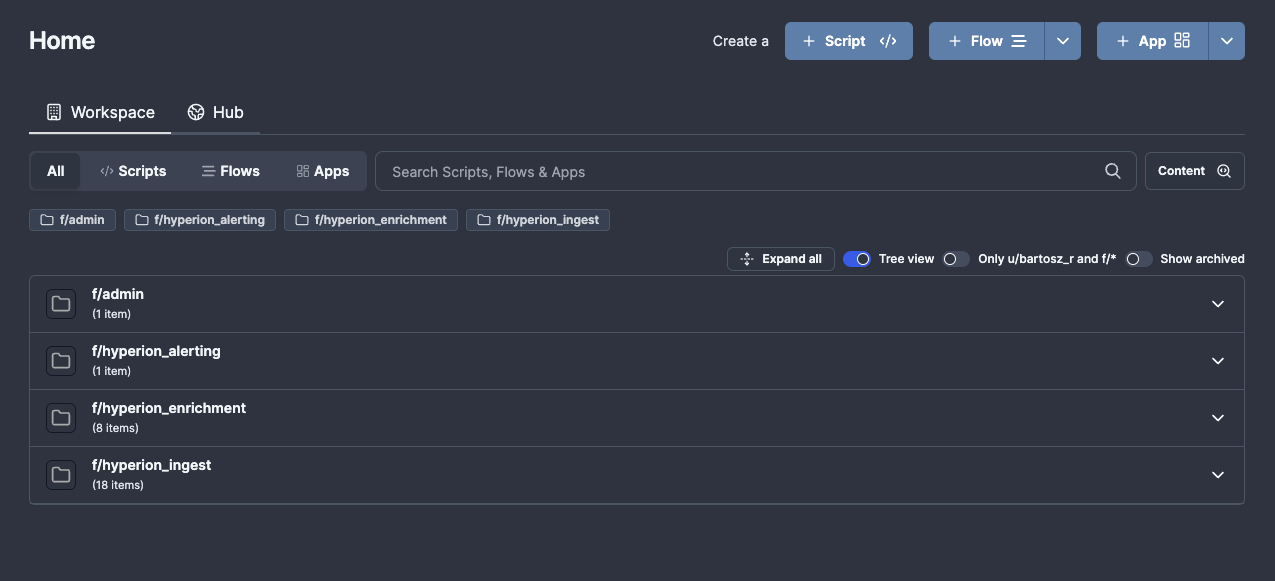
Code within Windmill is structured into the following folders:
f/hyperion_ingest- flows related to ingesting data into Hyperion on a cron-type schedule.f/hyperion_enrichment- flows related to ad-hoc enrichment, triggered either via the analyst or other flows.f/hyperion_alerting- flows related to facilitating alerting (excluding alerts related to reliability)f/admin- various admin flows including error handlers or helper scripts like IOC parsers.f/secrets- a hidden folder containing variables with secrets like API keys
All shared folders in Windmill start with the prefix f/, user-owned folders start with u/. You should avoid saving any scripts to your user folder.
Standard libraries used
The following libraries are recommended to be used for consistency between scripts.
Golang
neo4j "github.com/neo4j/neo4j-go-driver/v5/neo4j"- for interactions with the Neo4j DBresty "github.com/go-resty/resty/v2"- for performing Web requestsgjson "github.com/tidwall/gjson"- manipulating JSON files (a lot easier than using native Golang structures)
Python
iocextract- for extracting IOCs from text/filesbeautifulsoup4- for extracting text from HTML websites
Remember that since Windmill has to automatically install the dependencies, the naming of the package needs to match PyPi/NPM/whatever (so instead of importing bs4, you need to import beautifulsoup4)
Schedules
Schedules can be set up to run parametrised workflows on a given cron schedule. Avoid setting the cron to execute at the default time, 12:00 CET, too many of those and we the Database will end up getting overloaded at this specific time.
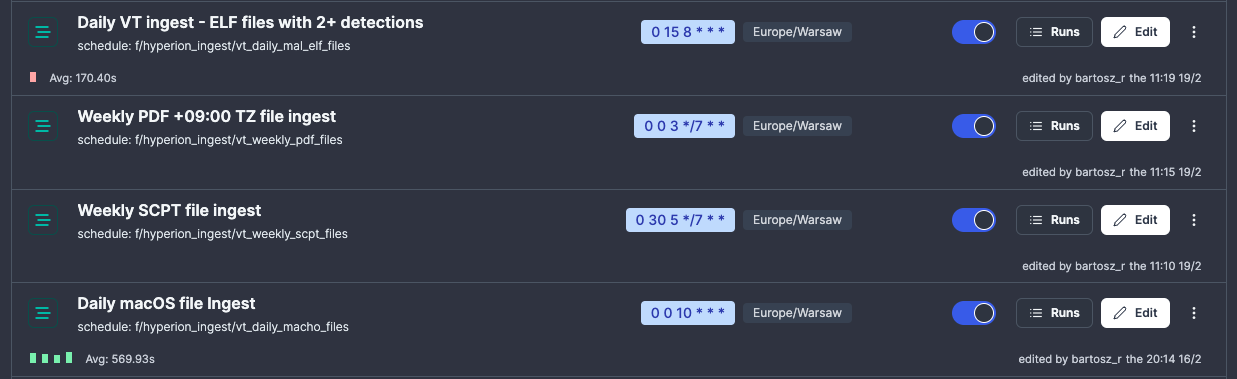
If you write a flow which takes some input, such as a search query to be executed in VirusTotal every X hours, don't hardcode the query into your flow, instead parametrise the workflow and set a schedule with that specific query. Also remember to name the schedule appropriately.
Example - all those schedules execute the same flow, just with different cadence and query to be run against VT:
Resources
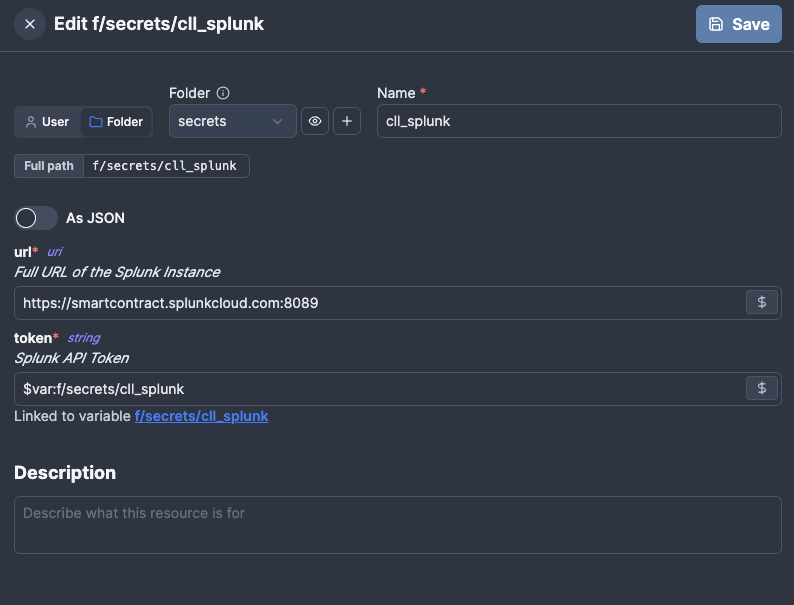
Apart from Variables (which can store a single value), Windmill supports Resources which can store multiple values into a single object. This is strongly recommended for anything that can change.
For example, instead of hard-coding Splunk URL into a script (or using 10 different variables), create a Splunk resource and store all the required info there, so the API key/URL needs to be changed, it only needs to be once in the resource.
Consult Windmill Docs for specific details on how to work with Resources.
Caching
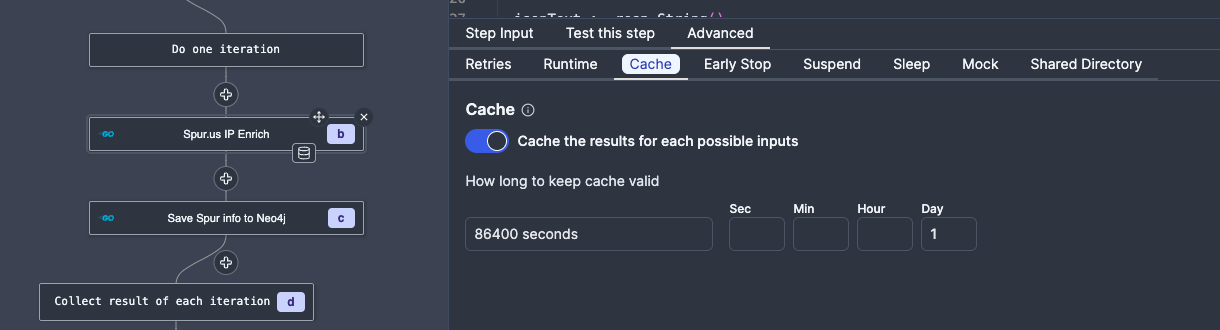
Windmill supports caching which is useful for avoiding duplicate queries to rate/quota limited external APIs. Make sure to use Caching for scripts/entire flows, but avoid setting it too high (all cached results are saved to disk, which for something like VirusTotal may lead to a ton of cached data).
You can set caching for parts of your flow by setting it in the Advanced tab:
Error handling
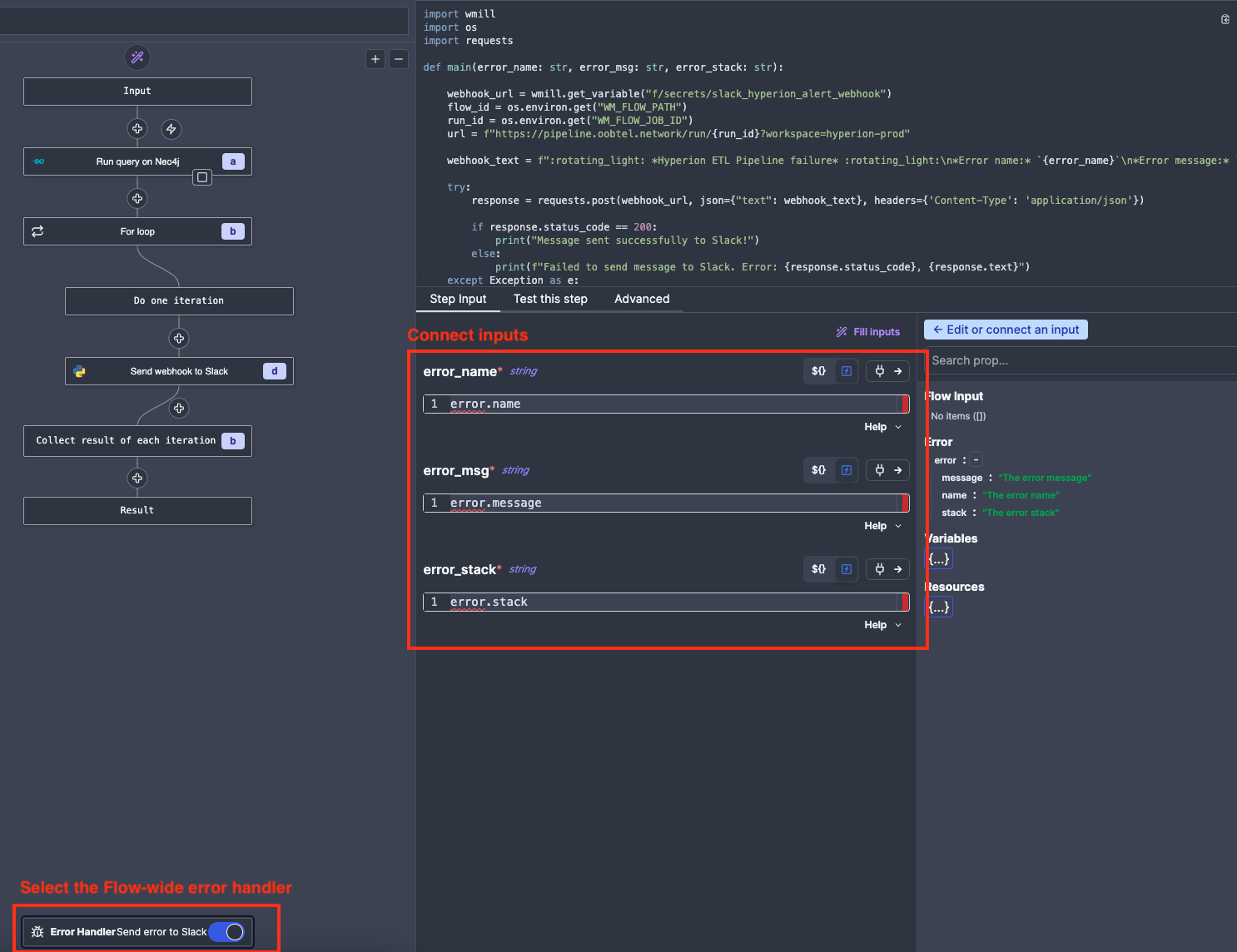
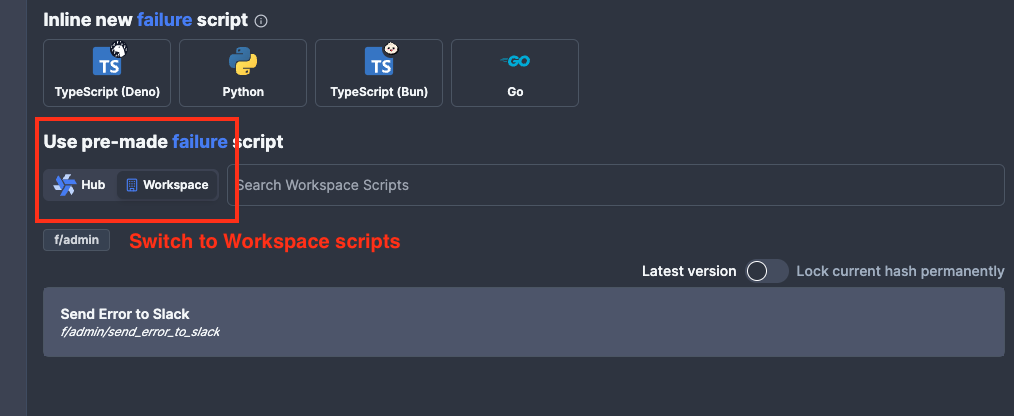
The standard error handler used for all Flows is f/admin/send_error_to_slack, you can add it by clicking on the Error Handler at the bottom of the Flow diagram, selecting the pre-made script from the Workspace:
 And then connecting the inputs: