Writing Hyperion alerts
The guide below will take you through setting up a simple detection in Hyperion.
You need to be familiar with Neo4j's Cypher query language in order to write detections in Hyperion. To learn Cypher, we recommend the Cypher Fundamentals course from Neo4j Academy.
You also need to be given a special RBAC role to be able to create Alert nodes in HyperionDB and be given access to Windmill. Please contact Bartosz R. for access.
This guide is meant for standard detections that do not require heavy processing or enrichment. If you have an alert idea that requires something more than described here, you need to create a dedicated Windmill workflow for it.
Create your Neo4j search query
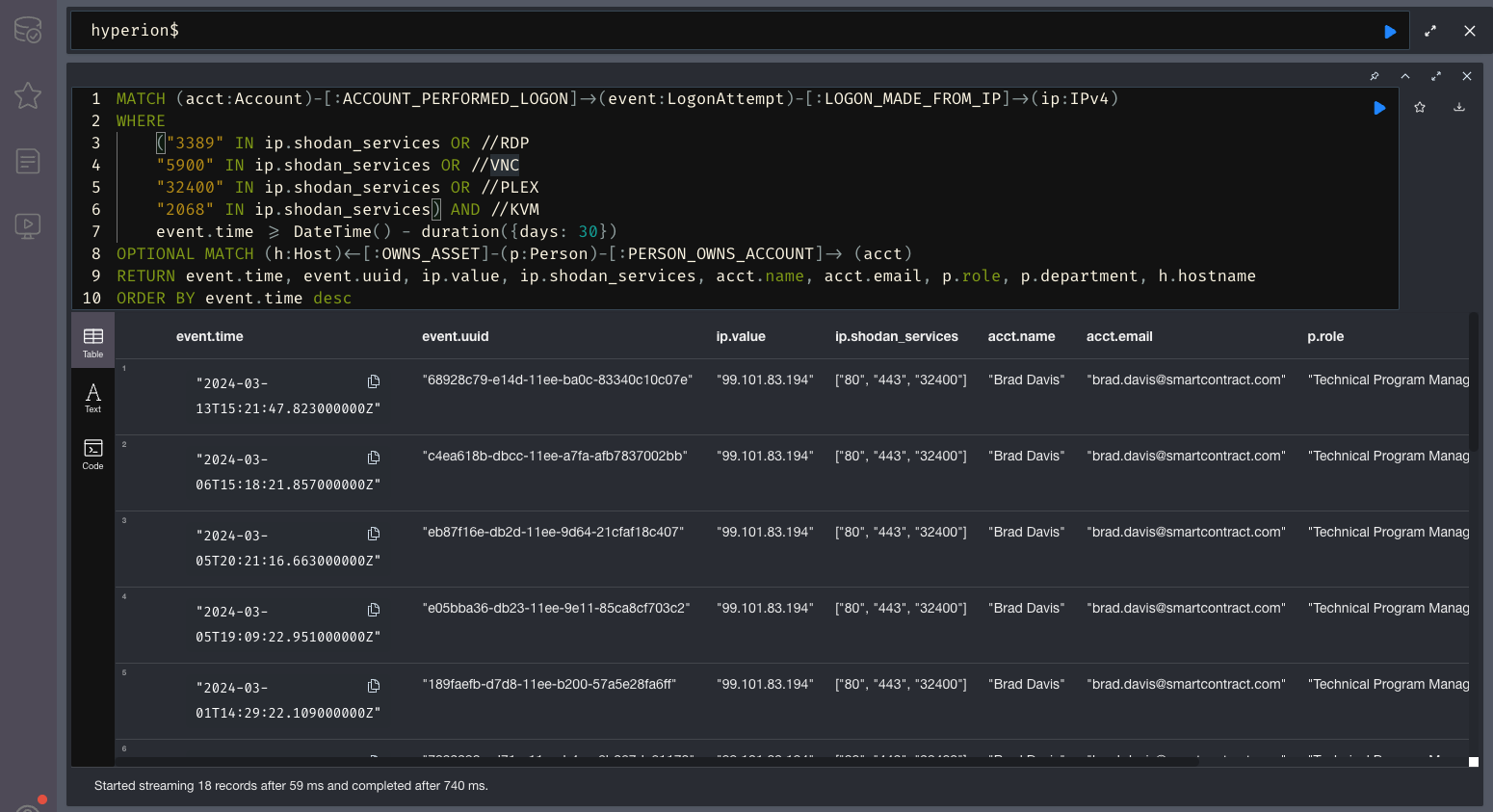
The first step in writing a detection is to write a Cypher query that will look for whatever your alert is trying to do. Similar to Splunk, this query will then be run on a cron job. To do that, open up Neo4j Browser and start writing your Cypher query. In this example we will use an alert written by Myles which looks for LogonAttempt nodes where the IP involved is exposing an undesirable service (RDP, VNC, PLEX etc.).
You alert query must return properties of nodes, not entire nodes. This is due to how the alert parser works - every field in the table you see below will be present in the Hive alert with the name you set. So ideally you should rename your return values to something meanigful so that:
RETURN event.time, event.uuid, ip.value, ip.shodan_services, acct.name, acct.email, p.role, p.department, h.hostname
Becomes:
RETURN event.time AS logon_time, event.uuid AS logon_uuid, ip.value AS logon_ip, ip.shodan_services AS ip_services, acct.name AS user_name, acct.email AS user_email, p.role AS user_role, p.department AS user_dept, h.hostname AS user_hostname
Example results of our alert:
Create an Alert node from your query
This section is work in progress.
Once you have validated that your alert is sucessfully finding whatever it's looking for, you now need to start creating Alert nodes from your results.
Schedule the search with Windmill
Once you write & test your final alert, you can schedule it in Windmill to run periodically.
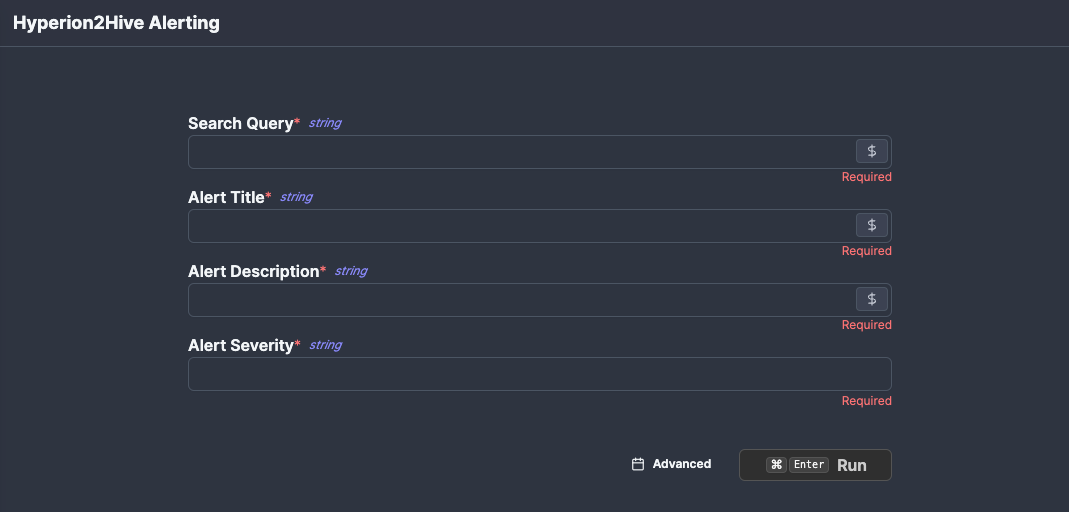
Wherever possible, alerts should be run via a pre-made Windmill workflow called f/hyperion_alerting/hyperion_to_hive_alert which you can acccess here.
This workflow takes 4 parameters, which are all required for proper integration with TheHive:
- Search Query - your Neo4j query
- Alert Title & Description - pretty self-explanatory.
- Severity - low/medium/high/critical
You can test if your alert works correctly by filling in the values and hitting Run. If everything worked fine, you should be able to see the alert in the Hive.
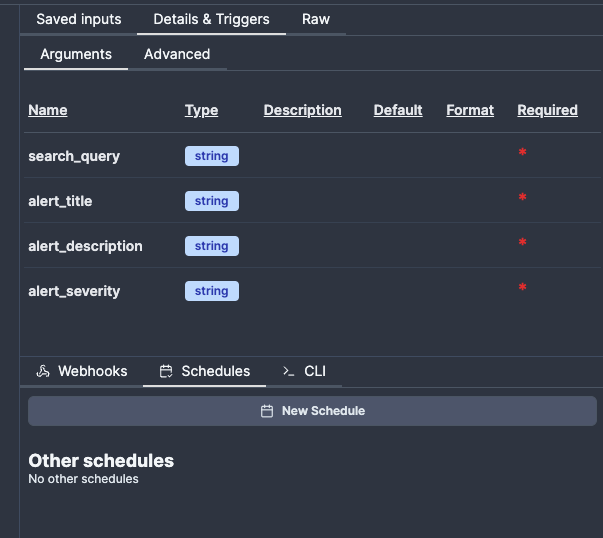
Once you verify the alert works, you can schedule it in the right-hand side tab Details & Triggers and then selecting Schedules to create a new schedule with your inputs.
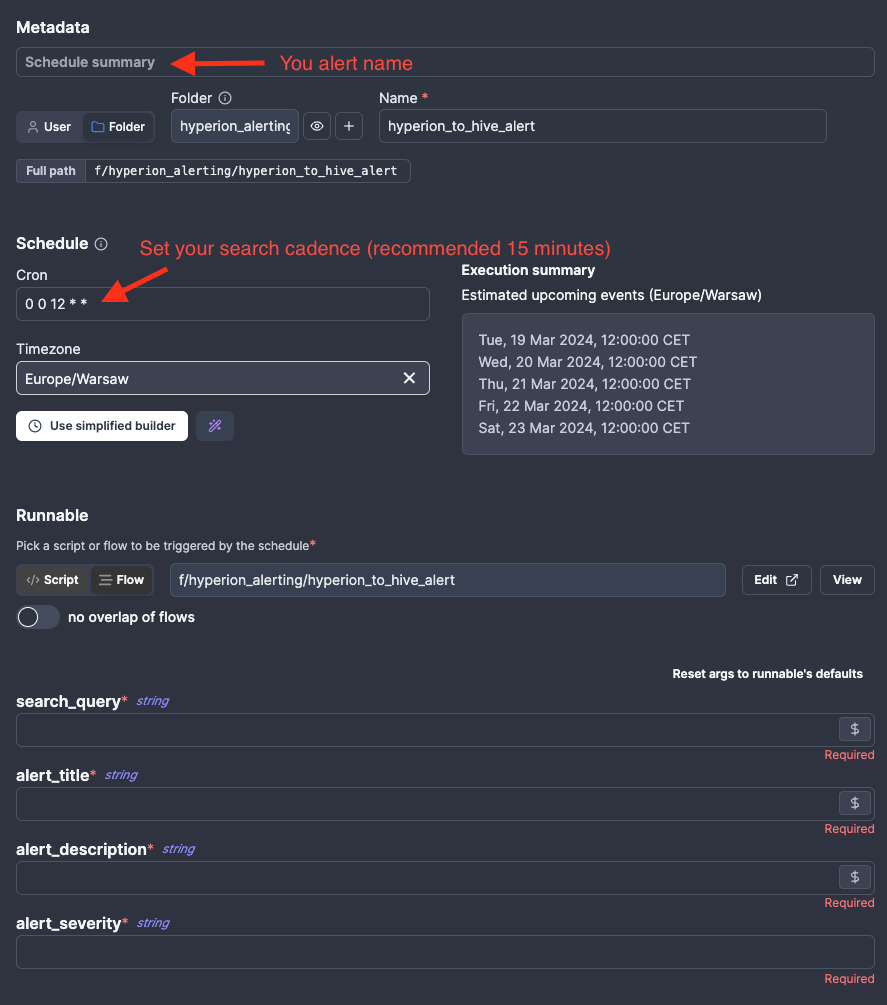
You should now see a scheduling popup. Here's some tips about specific fields and what to do with them:
- Schedule summary - this will be displayed in the Schedules tab, so you should name this as
[Alert] <your alert title>. - Schedule - either write a crontab or use the simplified builder.
- While there are no strict requirements as to how often this search should happen, a miniumum time of 10 minutes is recommended (though Hyperion has been tested with searches running every 10 seconds).
- Wherever possible, try avoid running your alert at very "obvious" times, such as
:00or:15- if too many searches are started at the same time it can start causing performance issues in the future.